How to upgrade your PubliFast plan
When you create your PubliFast account, it starts a free-trial period that allows you to explore, test, and become familiar with the platform's interface.
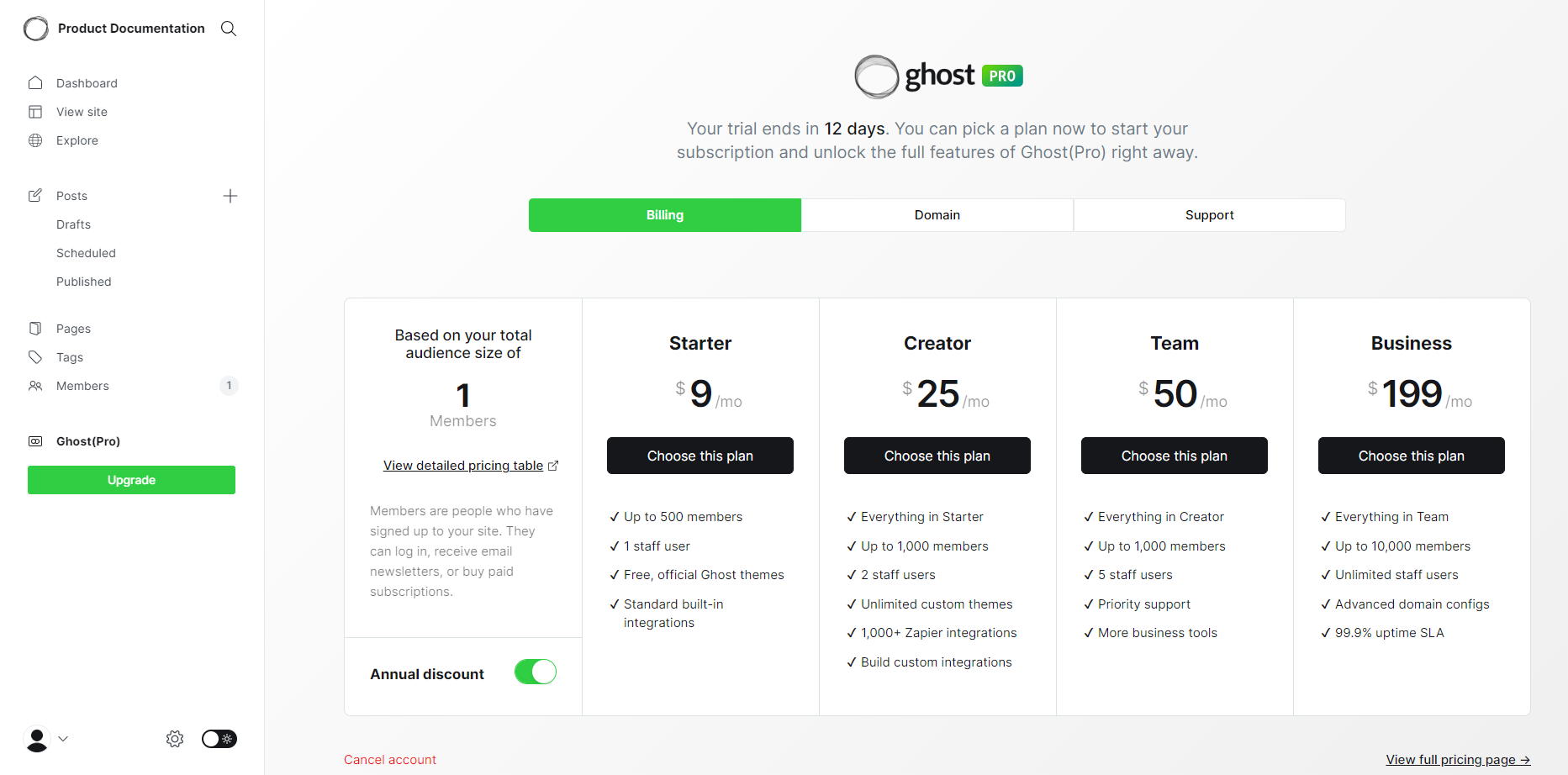
The trial ends in 15 days. After this period, you must start a subscription to continue using your PubliFast account and unlock the full features right away.
You can select one of the available plans:
- Starter: $9/month* and supports up to 500 members with 1 staff user and 18 free official themes.
- Creator: $25/month* and supports up to 1,000 members with 2 staff users, unlimited custom themes, and 1,000+ integrations.
- Team: $50/month* and supports up to 1,000 members with 5 staff users, priority support, and higher usage limits.
- Business: $199/month* and supports up to 10,000 members with unlimited staff users, advanced configuration, and a 99.9% uptime SLA.
📝 The prices include the annual discount. For more details, go to the pricing page (opens in a new tab).
Selecting a new plan
Proceed as follows:
- Access your project in PubliFast (opens in a new tab).
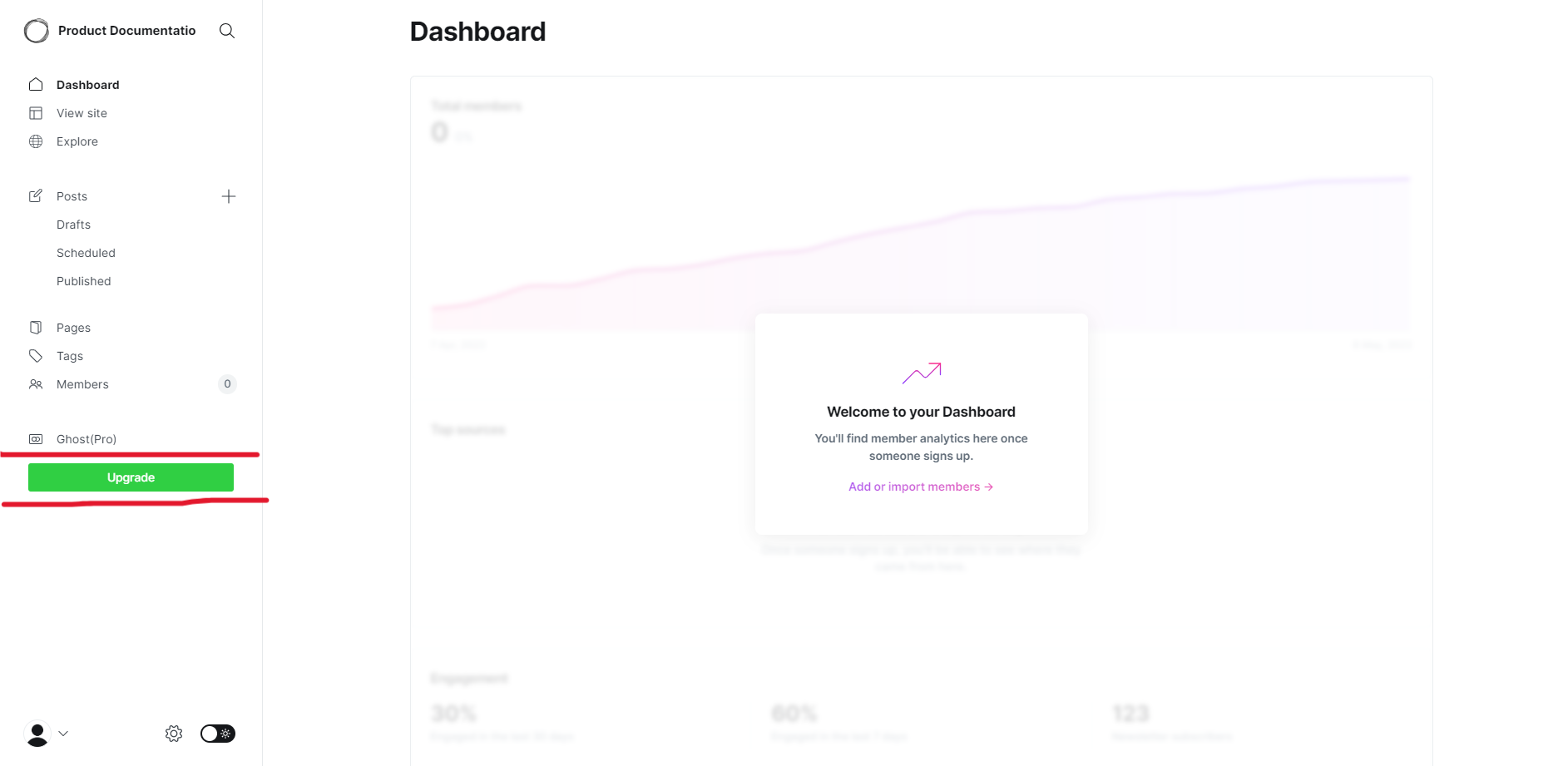
- In the left menu, click the Upgrade button.
- This displays all the available plans.
- In the Plans page, click the Choose this plan button of the plan you want to select.
- Complete the Payment form as required.
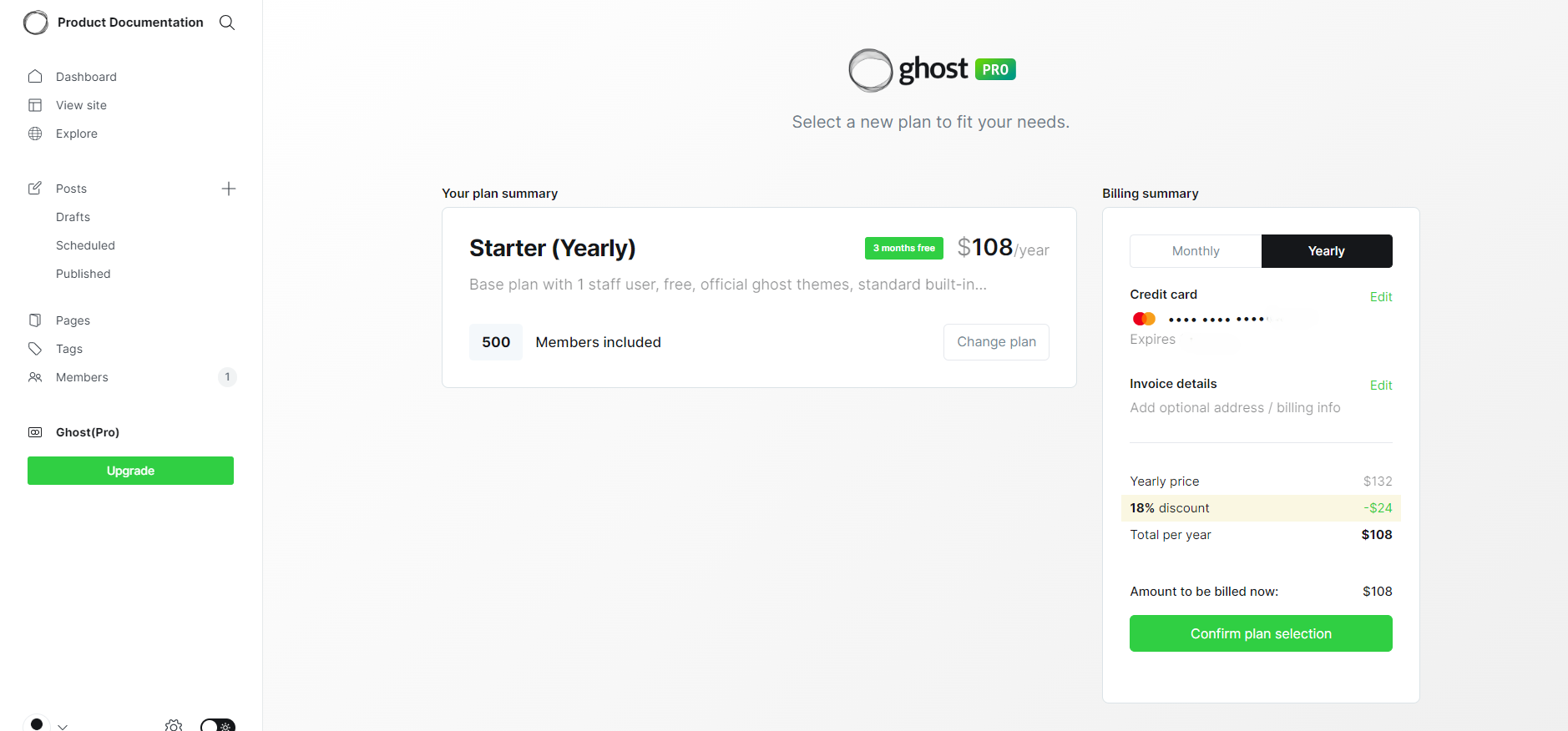
- Click the Confirm plan selection button to confirm your payment.
You will receive an email with all the payment and your new plan details.
💡 Contact the PubliFast Support Team (opens in a new tab) to get help and solve any issue.