How to delete all your content
The Delete all content feature can be used as a hard reset, permanently deleting all posts and tags from the database.
🚨 Deleting all content is a permanent action and cannot be reversed.
To execute this hard reset:
- Access your project in PubliFast (opens in a new tab).
- Select the Settings icon.
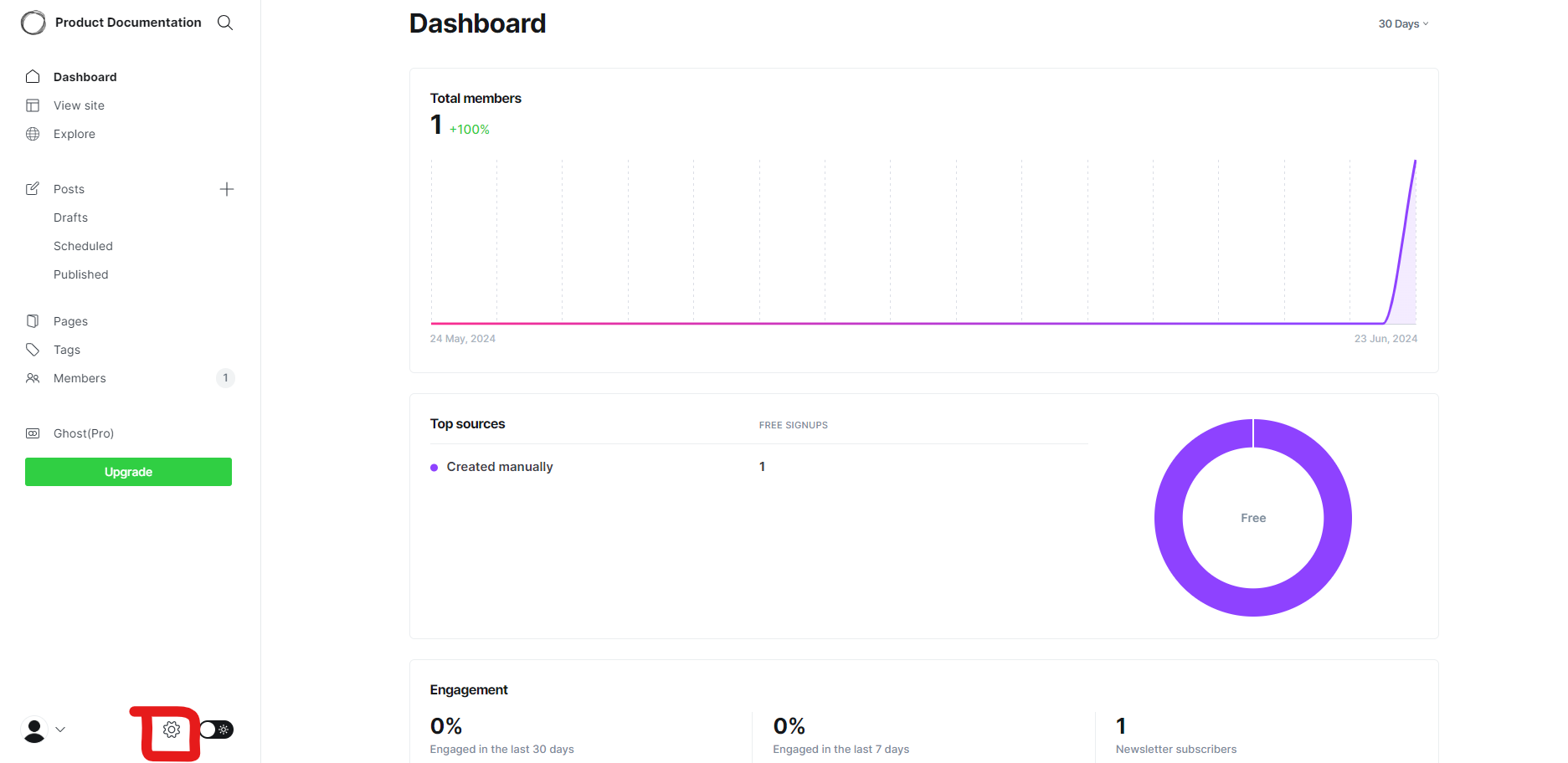
- In the Settings page, scroll down to the end of the form.
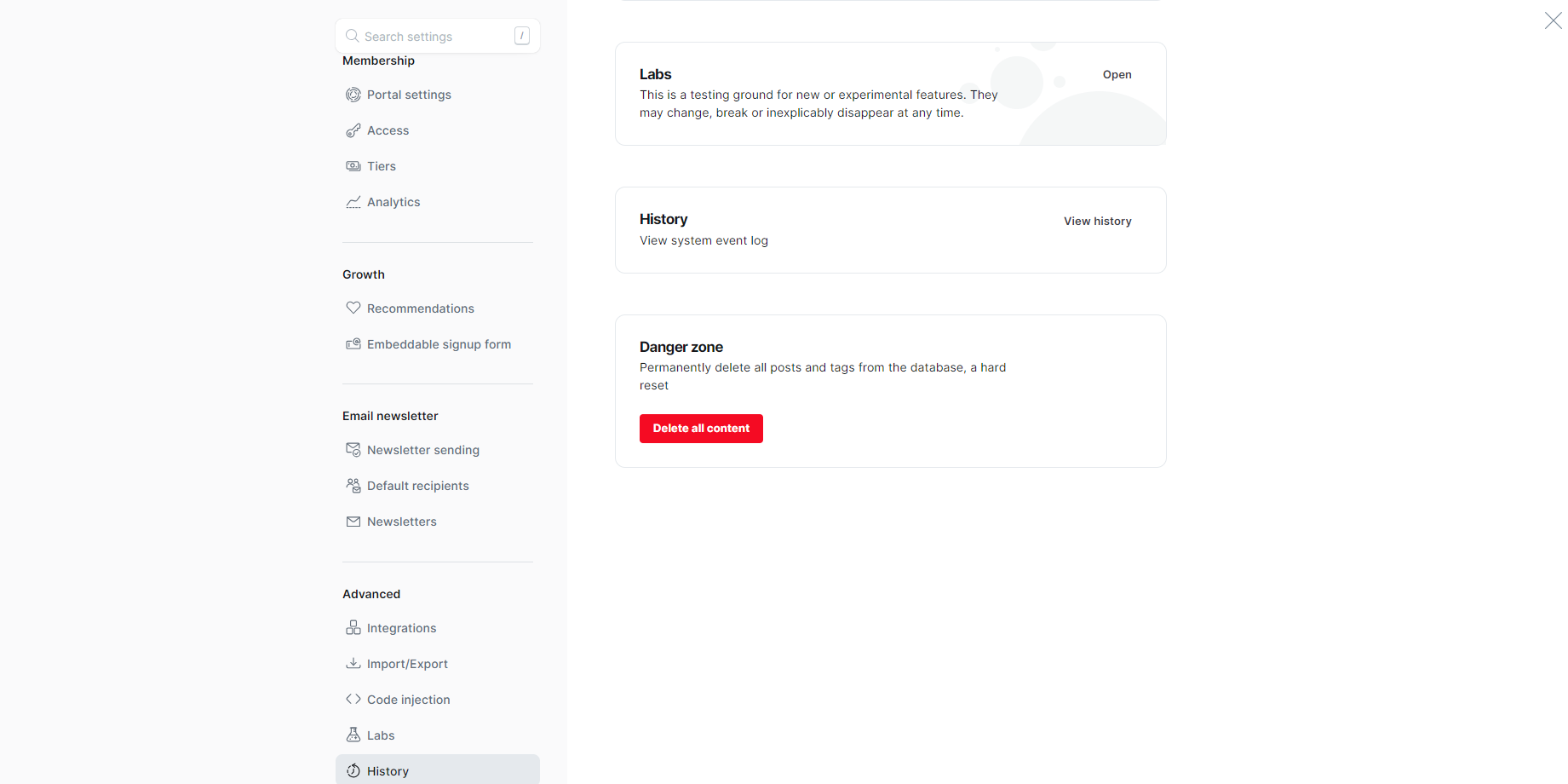
- Click the Delete all content button.
- In the modal, you must confirm that you want to delete all your content by clicking the Delete button.
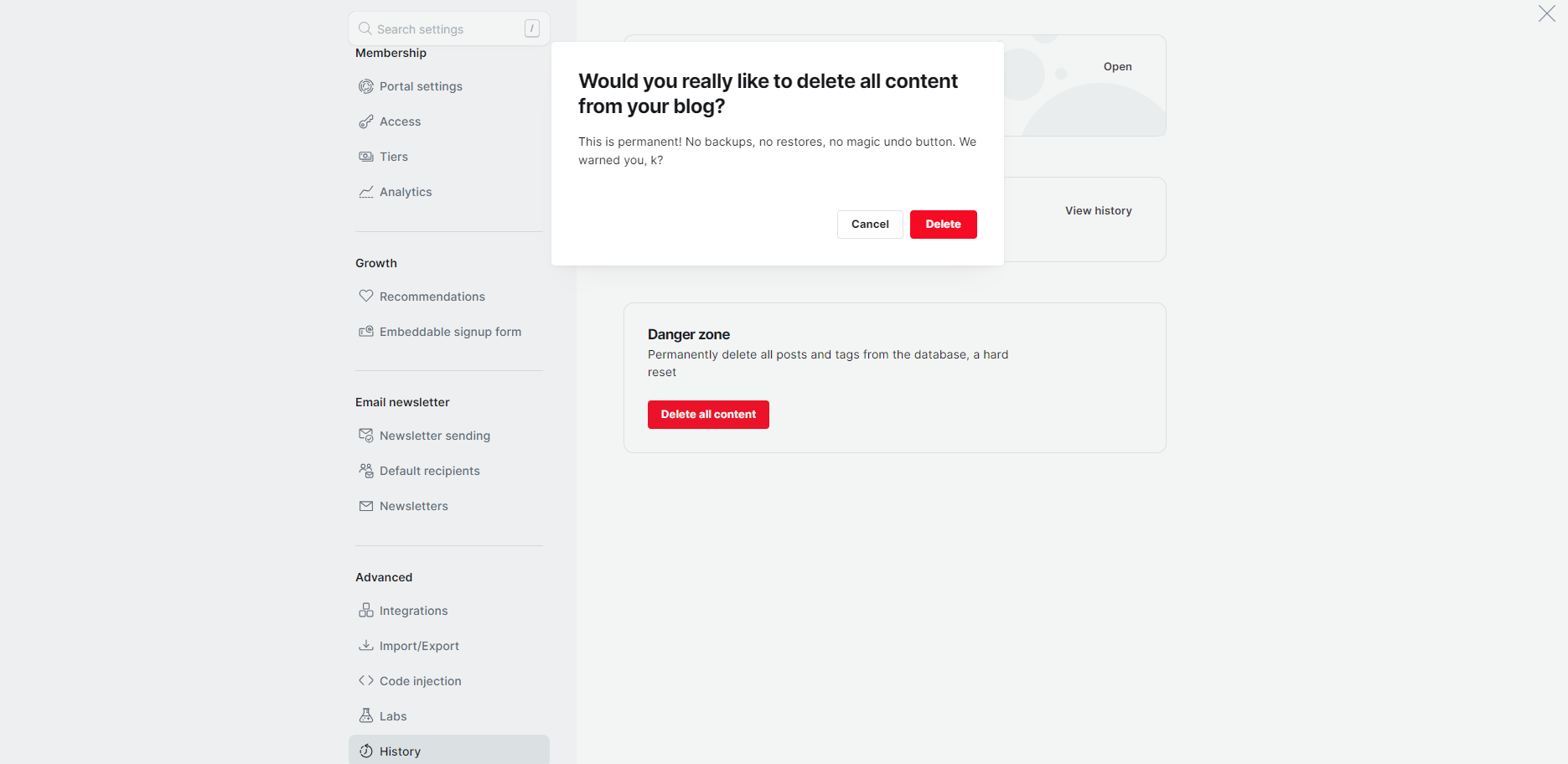
Done! Your hard reset has been executed, permanently deleting all posts and tags from the database.